A computer inside your terminal.
termdesk draws a full desktop in a kitty, Ghostty or WezTerm pane and sends your keyboard and mouse back. The same pane exposes an action API, so a coding agent can click, type and read the screen while you watch and take over whenever you like.
curl -fsSL https://tdesk-sh.vercel.app/install | bash
macOS and Linux. About 35 MB. Needs Python 3.9+; Docker only for sandboxes.
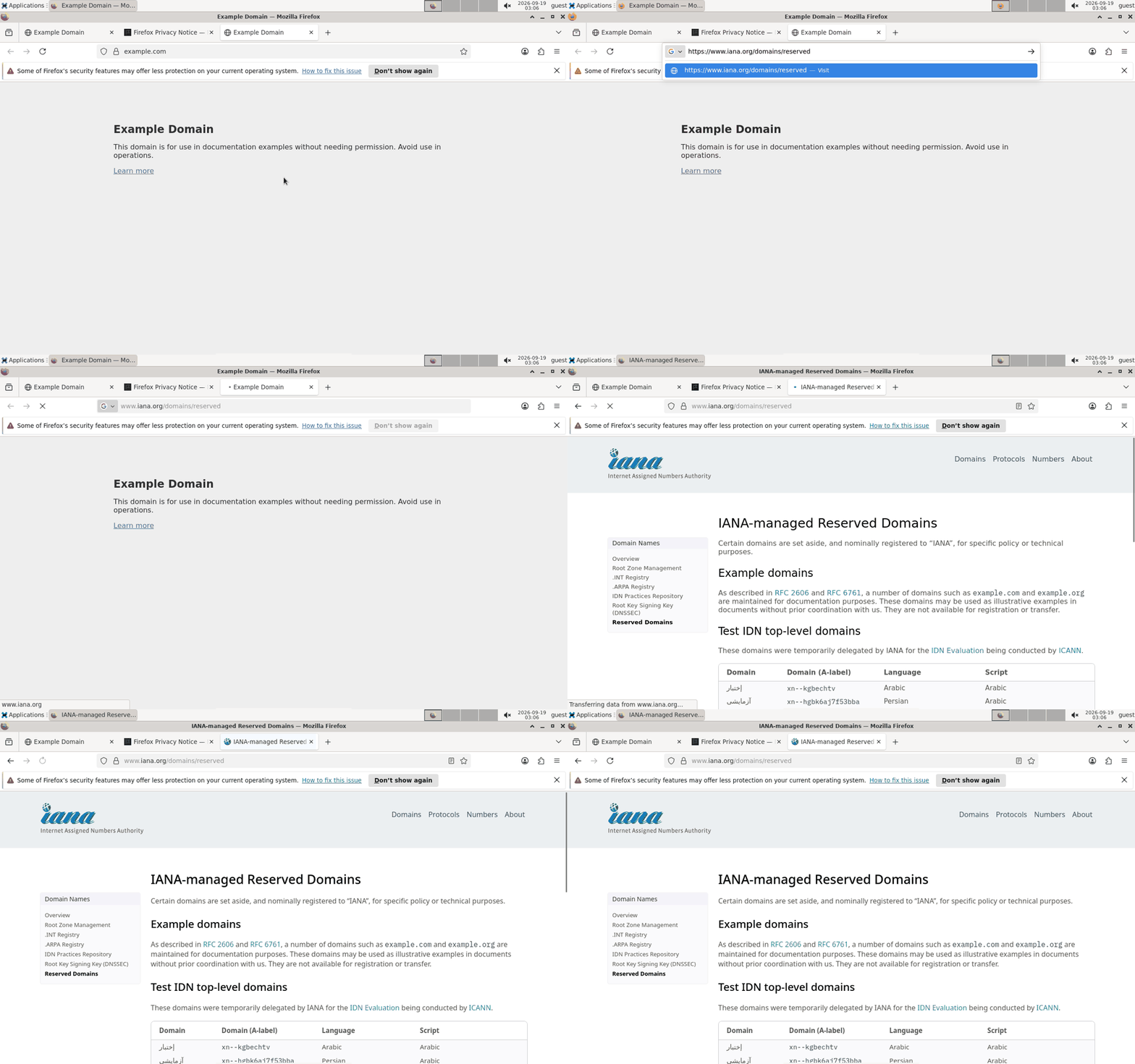
An agent driving Firefox in a sandbox through termdesk action, recorded by termdesk itself.
What you get
Any desktop, in a pane
Point it at a VNC server: a Linux box over ssh, a Mac with Screen Sharing on, a Windows VM. Only changed pixels move, the terminal scales on the GPU, and local sessions go through shared memory.
An API for agents
termdesk action state returns the desktop's accessibility tree as indexed elements. click 11, set-value 11 example.org, wait-idle, screenshot, record. A skill file tells Claude Code exactly how to use it.
Disposable sandboxes
termdesk sandbox up starts an XFCE desktop with Firefox in Docker, capped on memory and CPU, port bound to localhost. Snapshot it, restore it, throw it away.
Try it in two minutes
termdesk sandbox up --name work      # prints localhost:<port>
termdesk work                        # in a kitty pane: the desktop appears
termdesk action state                # from another shell: the UI as indexed elements
termdesk action set-value 11 https://example.org && termdesk action key Return
How it works
- Frames come over RFB with ZRLE encoding. A 1280x800 desktop is about 60 KB per full frame; a blinking cursor is an 80-byte patch composited in place with a kitty animation-frame edit.
- Input goes back as RFB events from the kitty keyboard protocol and pixel-precise SGR mouse reports. Modifier keys, key repeat and release all survive the trip.
- The sandbox runs the AT-SPI accessibility bus, so agents get roles, names and rectangles instead of guessing from pixels.
- Everything an agent does is visible in your pane with an
AGENT ACTINGbadge, and you can grab the mouse at any time.
Prior art, credited
desktui first drew a VNC desktop with the kitty graphics protocol. sshdesk added an agent CLI over ssh. terminal-browser is the same idea for a browser and the reason this exists. termdesk puts a semantic accessibility tree and disposable containers behind the same pane.